
I spent three hours last Tuesday editing a brilliant, punchy three-minute segment for a client, only to watch them post it to Instagram without a single line of text on the screen. It was a masterclass in storytelling, but because they didn’t understand how to use social clips that make sense without audio, it was effectively useless. Most “growth hackers” will tell you that you need a high-end motion graphics designer or a subscription to some overpriced AI captioning tool to fix this. They’re wrong. You don’t need a cinematic budget; you just need to stop assuming people are actually listening to your content while they’re sitting on a crowded bus or waiting in a doctor’s office.
I’m not here to sell you a course on “viral hacks” or aesthetic templates that look pretty but communicate nothing. I want to show you the actual mechanics of making a clip work when the sound is off. We’re going to talk about visual hierarchy, strategic caption placement, and why your B-roll needs to do the heavy lifting. This isn’t about being flashy; it’s about making sure your hard work doesn’t die in silence.
Stop Losing Listeners With Smart on Screen Text Overlays for Engagement
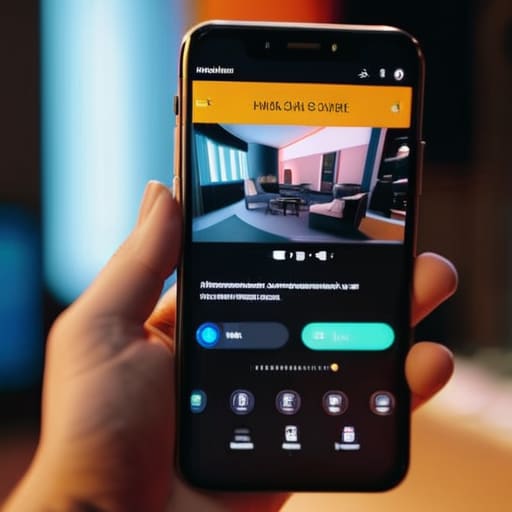
If you’re just slapping a caption at the bottom of the screen that repeats exactly what the guest is saying, you’re doing it wrong. That’s not engagement; that’s just a subtitle. To actually stop the scroll, you need to use on-screen text overlays for engagement that provide context the audio alone can’t give. Think of it as a secondary narrative layer. If your guest says, “It was a disaster,” but the text overlay reads The moment the studio lost power, you’ve just given a silent scroller a reason to stop and wait for the sound to kick in.
You also need to be mindful of where you place that text. I’ve seen too many producers bury their best points under the TikTok UI or the Instagram caption area. If your text is obscured by a “Follow” button, you’ve wasted the edit. Treat your text like a graphic element in a documentary. It should guide the eye and reinforce the emotional beat of the clip. This isn’t just about being clever; it’s about optimizing content for muted playback so that even if someone is sitting in a quiet waiting room, they aren’t missing the point of your show.
Mastering Visual Storytelling Techniques for Social Media

If you’re just slapping a waveform over a static image, you aren’t actually doing anything. To make a clip work when the sound is off, you need to lean heavily into using visual cues in short-form video to signal what’s happening. This means more than just subtitles; it means using B-roll, close-up shots of a guest’s expression, or even simple arrows to point at something being discussed. If a guest says, “Look at this chart,” and your clip doesn’t show that chart, you’ve lost them. You have to treat the video as a standalone visual narrative that doesn’t rely on the audio to provide the context.
I also tell my clients to stop treating accessibility as an afterthought. While you’re optimizing content for muted playback to catch the scroller in the subway, you are simultaneously improving video accessibility for deaf viewers. It’s the same workflow. Use high-contrast captions that don’t overlap with important visual elements like faces or logos. If your text is dancing around the screen or buried in a tiny font, people will just keep scrolling. Make the text part of the design, not an annoying layer on top of it.
Five ways to stop your clips from being useless noise
- Use “burn-in” captions, not just standard platform overlays. If you’re exporting from Premiere or DaVinci, bake the text directly into the video file. Platform-native captions are fine for accessibility, but they often get cut off by the UI—the “Like” button or the description—and if your guest’s point is hidden under a heart icon, you’ve lost them.
- The first three seconds need a visual “hook” that functions as a headline. Don’t just show a person talking; put a text box at the top of the frame that summarizes the argument. If the clip is about why most microphones are a waste of money, the text should say “Why your $500 mic is lying to you” before they even realize they’re watching a video.
- Use B-roll or visual aids to anchor the context. If your guest is describing a specific moment or a piece of gear, don’t just show their face for sixty seconds. Cut to a close-up of the object or a relevant image. If they are talking about a concept, show a diagram. You’re trying to replace the auditory context with a visual one.
- Color-code your speakers. If you have a two-person interview, assign a subtle, consistent color to their respective captions—maybe a soft blue for the host and a muted yellow for the guest. It sounds pedantic, but when someone is scrolling on a crowded train with no sound, they need to know who is talking without having to guess based on lip movements.
- Trim the fat before you export. In a long-form episode, a guest might take forty seconds to get to a point. For a silent social clip, you don’t have that luxury. Cut the “umms,” the “so anyway,” and the introductory fluff. Start the clip at the exact millisecond the core value of the sentence begins. If it doesn’t land in five seconds, they’ve already scrolled past.
The bottom line
If your clip relies on a punchline that can’t be read on screen, you haven’t made a social asset; you’ve made a mistake that’s costing you reach.
Use captions to bridge the gap between a scrolling thumb and a listening ear, but don’t just dump a transcript—highlight the words that actually carry the weight of the sentence.
Treat your visual elements like your audio levels: if they aren’t serving the clarity of the story, they’re just adding noise that people will scroll right past.
The scrolling reality check
If you’re just posting a video of two people talking and expecting the viewer to turn their sound up to understand the context, you haven’t made a clip—you’ve made a mistake. Most people are scrolling on a train or in a waiting room with their volume at zero; if your visual cues don’t do the heavy lifting, they’re going to swipe past you before you even get to the good part.
Nadine Okafor
Getting the work out there

At the end of the day, making social clips that work on mute isn’t about being fancy with transitions or chasing every new TikTok trend. It’s about the fundamentals: using clear, legible text overlays so people actually know what’s being said, and choosing visual moments that carry the weight of the story even when the waveform is silent. If you can’t look at a thirty-second snippet of your show and understand the core tension or the main point without touching the volume button, you haven’t finished the edit. It’s extra work in the timeline, and it’s often the most tedious part of the post-production process, but it’s the difference between someone scrolling past your face and someone actually clicking through to the full episode.
I know it feels like a massive, unglamorous detour from the actual “creative” part of making a podcast, but this is where the listener acquisition actually happens. You spend weeks recording, days editing, and months wondering why the numbers aren’t moving; don’t let a lack of visual context be the reason they stay stagnant. The craft of podcasting doesn’t stop when you hit export on your master WAV file; it extends to how you package that sound for a world that is constantly, aggressively muted. Do the legwork now, and you won’t have to wonder why your hard work is being ignored.