
I spent three weeks in my early twenties convinced that if I didn’t own a rack-mounted preamp and a heavy-duty mixer, I wasn’t a “real” producer. I was chasing a ghost, spending money I didn’t have on gear that sat idle because I was too intimidated to even plug it in. Most of the advice you’ll find online about how to decide between usb and xlr is designed to make you feel like you’re failing if you aren’t building a professional studio in your spare bedroom. They want you to think XLR is the only “serious” way to work, but they conveniently forget to mention that a high-quality USB setup can save your sanity—and your bank account—while you’re still figuring out if you actually enjoy the editing grind.
I’m not here to sell you a dream or a course on “professionalism.” I’m here to tell you what actually happens when you’re sitting in a quiet room at 2:00 AM trying to fix a hiss that shouldn’t be there. I’ll give you the unvarnished truth about the signal chain, the latency issues, and the scalability of both options so you don’t end up with a pile of expensive, useless metal. We’re going to look at the actual math of your workflow so you can pick the gear that keeps you recording instead of troubleshooting.
Plug and Play vs Professional Setup the Convenience Trap
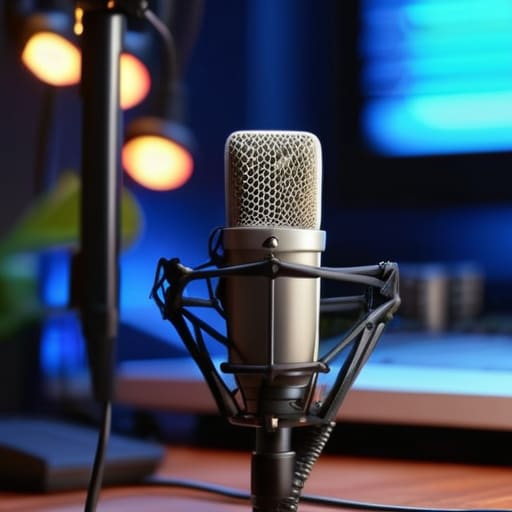
The problem with USB mics is that they sell you a dream of effortless production. You plug them in, the computer recognizes them, and suddenly you’re a podcaster. It’s a seductive plug and play vs professional setup debate that usually ends in frustration once you realize you’ve hit a ceiling. Because the converter is built directly into the microphone, you are stuck with whatever internal components are inside that plastic housing. If the built-in converter starts to hiss or fail, you don’t fix it; you throw the whole mic in a drawer and buy a new one.
When you move toward an XLR setup, you’re building a proper microphone signal chain. This means you can swap a cheap mic for a high-end one later without replacing your entire desk. You gain control over your preamps and can actually manage the noise floor. The “convenience” of USB often masks a lack of recording studio scalability. You might save twenty minutes on setup today, but you’ll spend ten hours in post-production trying to EQ out the digital artifacts that a dedicated interface would have prevented from the start.
Latency in Digital Audio and Why It Ruins Your Flow
Here is the problem with the “convenience” of some USB setups: the delay. When you’re talking into a mic and you hear your own voice coming back through your headphones a fraction of a second late, it’s maddening. That’s latency in digital audio, and it is the fastest way to ruin a good take. It’s not just a minor annoyance; it actively messes with your natural cadence. You start overthinking your words, stumbling through sentences because your brain is trying to reconcile the sound hitting your mouth with the sound hitting your ears.
This is where the microphone signal chain actually matters. In a professional XLR setup, you’re running your signal through a dedicated audio interface with its own processing power, which keeps that delay near zero. With many entry-level USB mics, you’re relying on your computer to do all the heavy lifting, and if your CPU is busy or your drivers are rubbish, you’re stuck with that distracting echo. If you’re planning on doing long-form interviews where you need to stay in the zone, you cannot afford to fight your own hardware just to hear yourself speak.
Five reality checks before you tap 'buy'
- Check your room’s acoustics before you upgrade the signal. If you’re recording in a kitchen with tile floors and high ceilings, a £400 XLR condenser mic is just going to capture every single echo and fridge hum with terrifying clarity. A decent USB dynamic mic might actually be more forgiving in a bad room.
- Map out your upgrade path. USB is a dead end; once you buy a USB mic, you own that specific unit and nothing else. With XLR, you buy the interface once and then you can swap mics—from a Shure SM7B to a Rode NT1—without ever touching your computer settings again.
- Audit your multitasking needs. If you need to record a podcast while simultaneously running a Discord call or a Zoom meeting, USB mics can be a nightmare of driver conflicts and sample rate mismatches. XLR via an interface gives you a dedicated hardware layer that stays stable while your software acts up.
- Look at your actual recording setup. If you are a solo creator recording in a bedroom, a USB setup is fine. If you are planning to bring in a guest, you cannot use a single USB mic. You need an XLR interface with at least two inputs so you aren’t trying to record two people through one tiny hole in a single microphone.
- Factor in the “hidden” cost of XLR. When you buy an XLR mic, you aren’t just buying the mic; you’re buying an audio interface, an XLR cable, and potentially a pop filter. If your budget is strictly £100, a high-quality USB mic will actually get you closer to a finished episode than a cheap XLR setup that lacks a decent preamp.
The bottom line: don't buy gear you can't outgrow
Don’t buy a high-end XLR mic if your room is an echo chamber; a cheap USB mic in a carpeted closet will always sound better than a professional setup in a tiled bathroom.
Buy XLR if you plan on actually producing a show for more than six months, because you will eventually hit the ceiling of what a single USB interface can do for your workflow.
Check your budget for the “hidden” costs—USB is a one-and-done purchase, but XLR requires you to factor in an interface, XLR cables, and potentially phantom power.
The real cost of convenience
Don’t let a “plug-and-play” USB mic trick you into thinking you’ve finished your setup; you aren’t buying a finished product, you’re buying a dead end that will leave you scrambling for an interface the moment you actually want to control your gain or add a second guest.
Nadine Okafor
Making the call
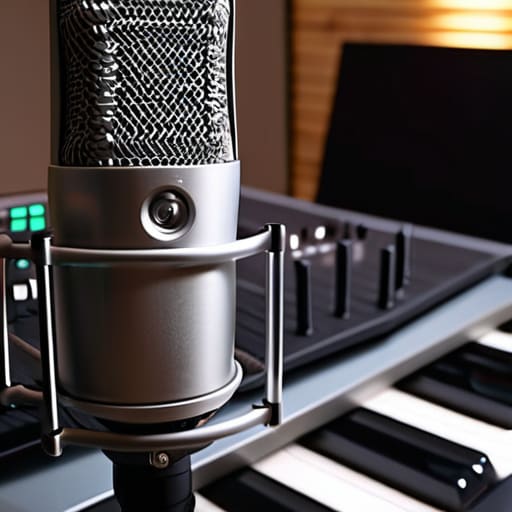
At the end of the day, the choice comes down to where you want your ceiling to be. If you are just testing the waters or recording solo voice memos, a decent USB mic is a perfectly valid way to start without draining your savings. But if you’re planning on bringing in guests, expanding to a multi-mic setup, or if you simply can’t stand the thought of having to replace your entire signal chain in six months, go with XLR. You need to weigh the immediate convenience of USB against the long-term scalability and audio headroom that an XLR interface provides. Don’t buy the XLR setup because you think it makes you a “real” producer, but do buy it if you want to stop upgrading your gear every time your production value grows.
My biggest piece of advice is this: don’t let the gear debate paralyze you. I’ve seen people spend three months researching preamps and sample rates only to never actually hit record. Whether you end up with a single USB stick or a rack of professional hardware, the most important piece of equipment in your studio is still your ability to tell a coherent story. The technical side is just the plumbing; once the pipes are laid, you actually have to turn on the tap. Pick the setup that fits your current budget and your current space, and then just start recording.




