
I once spent three hours on a documentary edit trying to scrub a low-frequency thud out of a pristine interview, only to realize the guest had simply bumped their desk, sending a shockwave straight up a spindly, cheap tripod. It’s infuriating. You can drop a grand on a Neumann mic, but if you’re mounting it on a piece of hardware that acts like a tuning fork, you’re just recording expensive noise. Most people think they need a more complex setup or a thicker carpet, but learning how to choose a stand that does not transmit vibration is actually about understanding mechanical isolation, not buying more gear.
I’m not here to sell you a premium mounting kit or a “pro-level” studio makeover. I’ve spent two decades in the trenches of audio production, and I know that the best solutions are usually the most practical ones. I’m going to give you the actual specs and physical properties you need to look for—like weight distribution and shock-mount density—so you can stop fighting your equipment and start actually recording.
Why Mechanical Decoupling Techniques Actually Save Your Audio
Look, you can spend six hours applying EQ to fix a low-end rumble, but you’re just masking a symptom rather than curing the disease. When your mic stand is bolted directly to a desk that someone is tapping, or worse, sitting on a floor that carries the hum of a nearby fridge, you aren’t just recording a voice; you’re recording the building’s heartbeat. This is where mechanical decoupling techniques stop being academic jargon and start being your best friend. By breaking that physical path between the vibration source and your capsule, you stop the energy from ever entering the signal chain.
I’ve spent far too many late nights trying to surgical-strike a sub-bass thud out of a clean interview, only to realize the guest’s chair was scraping a floorboard. It’s exhausting. Using acoustic isolation platforms or even basic damping materials for equipment isn’t about being a gear snob; it’s about reducing structural resonance before it becomes a permanent part of your waveform. If you don’t decouple the mic from the environment, you’re essentially trying to record a conversation inside a drum.
The Truth About Vibration Isolation Pads vs Stands
I see this mistake constantly: someone buys a decent condenser mic and then tries to “fix” their room by shoving a piece of foam or a cheap slab of rubber under the tripod. People get caught up in the debate of vibration isolation pads vs stands, thinking a bit of foam is a magic bullet. It isn’t. While those pads can help with some surface-level rattling, they aren’t a substitute for a proper mechanical setup. If your mic is sitting on a desk that’s physically connected to a humming computer tower or a heavy-footed guest, a thin pad isn’t going to do much for your low-end clarity.
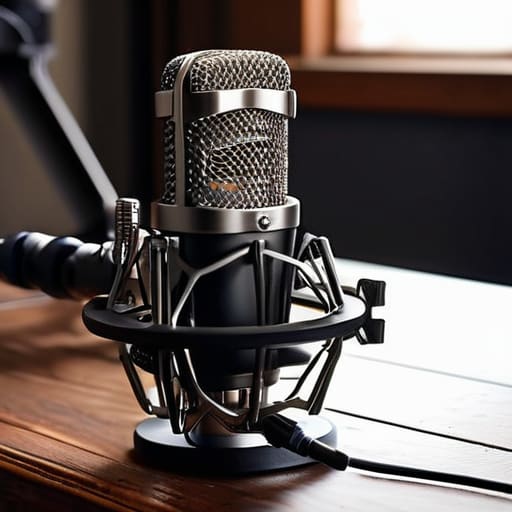
The real difference lies in how you handle reducing structural resonance. A dedicated stand with a built-in shock mount provides a physical break in the chain, whereas a pad is often just a buffer that eventually saturates. If you’re dealing with heavy floor vibrations or a desk that acts like a sounding board, you need a solution that actually provides low frequency noise mitigation through height and suspension. Don’t just layer up some damping materials for equipment and hope for the best; if the vibration has a direct path to the capsule, you’re just recording a very expensive version of that hum.
Five things to look for before you tap your card
- Check the weight of the base. If you can pick the whole stand up with one finger, it’s going to act like a sail for every floorboard creak and passing truck. You want something heavy—die-cast metal, not hollow plastic—that anchors the setup to the floor.
- Look for rubberized contact points. Whether it’s the feet of the stand or the joint where the boom arm meets the base, there needs to be a non-conductive material breaking the path of the vibration. If it’s metal-on-metal all the way down, you’re just building a tuning fork.
- Avoid the “cheap tripod” trap. Those spindly, lightweight tripods designed for phone photography are useless for a real mic. They have zero mass to absorb low-frequency rumble, and you’ll spend three hours in post-production trying to notch out a hum that shouldn’t have been there in the first place.
- Test the tension of the joints. A stand with loose, rattling joints is a nightmare. You want friction-based adjustments that stay put; if the arm wobbles when you breathe on it, that micro-movement is going to register as a low-end thud in your waveform.
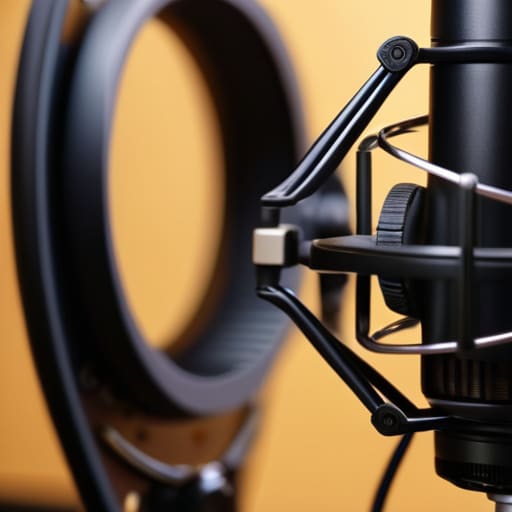
- Prioritize integrated shock mounts over “bolt-on” solutions. If the stand has a built-in suspension system, use it. Trying to fix a bad stand by slapping a cheap, flimsy shock mount onto a vibrating pole is like trying to fix a leaky roof with a piece of Scotch tape.
The Bottom Line on Vibration
Don’t mistake a heavy stand for a stable one; weight helps with tip-overs, but it won’t stop the low-end rumble of a passing truck or a radiator from traveling straight up the metal and into your capsule.
If you’re recording in a room with hard floors, an isolation pad is a non-negotiable part of your setup, not an optional luxury, because your stand is essentially a lightning rod for every footstep in the house.
Prioritize mechanical decoupling—like shock mounts or specialized suspension—over buying a more expensive microphone, because a $1,000 mic will still sound like garbage if it’s physically coupled to a vibrating desk.
The Invisible Noise Floor
You can spend three grand on a Neumann U87, but if that mic is sitting on a spindly tripod bolted to a desk where you’re typing, you aren’t recording a voice—you’re recording the structural resonance of your entire apartment. A stand isn’t just a piece of metal to hold a mic up; it’s the first line of defense against every floorboard creak and refrigerator hum that will otherwise haunt your edit for six hours.
Nadine Okafor
Stop Chasing the Perfect Mic and Fix Your Setup
At the end of the day, choosing a stand isn’t about finding the most expensive piece of aluminum on a spec sheet; it’s about understanding how energy moves through your room. If you aren’t looking for a heavy, stable base or a dedicated shock mount to decouple your capsule from the floor, you’re just asking for trouble. You can spend three hours in post-production trying to notch out a low-frequency rumble caused by a passing truck or a heavy footstep in the hallway, but you can’t EQ out physics. Invest in a decent boom arm that doesn’t creak every time you move, get some high-density foam if you’re working on a desk, and prioritize stability over aesthetics every single time.
Look, I know it feels like you should be spending your budget on a new preamp or a more “pro” sounding microphone, but the gear only works if the foundation is solid. Most of the beginners I talk to are trying to build a skyscraper on sand. Once you stop fighting the mechanical noise in your signal chain, you’ll actually have the headspace to focus on the thing that matters: the conversation. The craft is messy and the learning curve is steep, but once you get the technical basics right, you can finally stop being a technician and start being a producer.




