
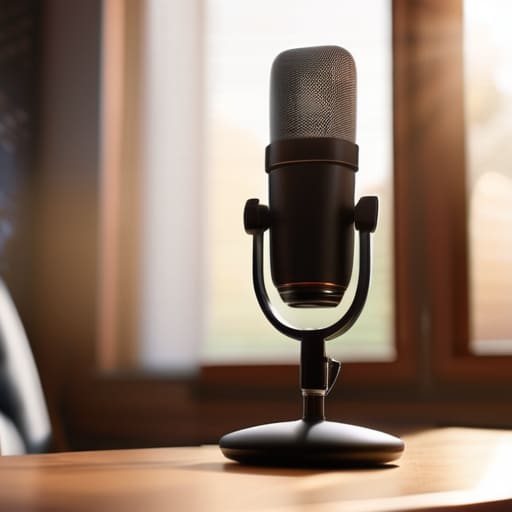
I once spent three days trying to “fix” a guest’s audio in post-production, only to realize I was fighting a losing battle against a room that sounded like a tiled public restroom. You can buy a $400 microphone and a high-end interface, but if your guest is sitting in a kitchen with marble countertops and floor-to-ceiling windows, they are going to sound like they’re broadcasting from a cavern. Most of the tutorials you see online make it sound like a gear problem, but the real secret to how to record remotely without sounding remote has almost nothing to do with what you plug into your computer and everything to do with the physics of the space around the person speaking.
I’m not here to sell you a subscription to a plugin suite or a course on “audio mastery.” I’ve spent twenty years in the trenches—from Birmingham community radio to professional documentary series—and I know exactly where the bodies are buried. I’m going to give you the actual, unglamorous checklist of what works: the specific room adjustments, the connection protocols, and the low-tech hacks that actually move the needle. We’re going to focus on the practical reality of getting clean signal, not the marketing fluff.
Stop Fighting Acoustic Room Reflections and Start Listening
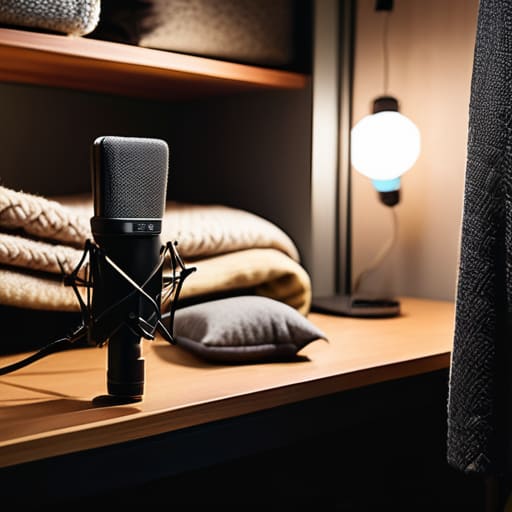
You can spend three grand on a Shure SM7B, but if your guest is sitting in a kitchen with linoleum floors and floor-to-ceiling windows, they are still going to sound like they’re broadcasting from a tiled hallway. I spent my first two years trying to “fix” echo in post-production using heavy-handed gates and de-essers, only to realize I was just making the audio sound thin and unnatural. The truth is, reducing acoustic room reflections happens before you even hit the record button. It isn’t about buying expensive foam panels; it’s about the practical reality of soft surfaces. Tell your guest to throw a heavy rug under their chair or, if they’re really struggling, to record in a walk-in closet. A closet full of hanging clothes is essentially a $500 acoustic treatment that they already own.
When you’re aiming for high fidelity remote podcasting, you have to stop treating the guest’s environment as an afterthought. If they are using a laptop mic in a cavernous living room, no amount of magic in your digital audio workstation is going to save the session. I’ve sat through countless interviews where the energy was perfect, but the audio was so washed out in reverb that I had to scrap the whole thing. It is much easier to ask a guest to turn off their ceiling fan and move away from a bare wall than it is to try and surgically remove room tone from a finished file.
High Fidelity Remote Podcasting Isnt a Magic Trick
The biggest lie in this industry is that a high-speed internet connection is a substitute for a good signal path. You can have the fastest fiber optic line in London, but if you’re relying on a Zoom call to capture your guest’s voice, you’re essentially asking a compressed, lossy codec to do your heavy lifting. That’s where the “remote” sound comes from—it’s the digital artifacts and the jitter of a stream trying to keep up with real-time data.
If you want actual high fidelity remote podcasting, you have to stop treating the internet as your recording medium. The secret isn’t a better connection; it’s using local recording techniques. This means your guest records their audio locally onto their own device, and you do the same. You aren’t “recording the call”; you are using the call as a guide to keep you both in sync. Once the session is over, they send you the uncompressed WAV files. It’s more admin, and it’s a headache when someone forgets to hit ‘save,’ but it is the only way to get a sound that doesn’t feel like it’s being squeezed through a straw.
Five things that actually matter when you aren't in the same room
- Stop relying on Zoom or Skype for your actual recording. They are communication tools, not studio tools. They compress your audio into a muddy, low-bitrate mess to save bandwidth, and once that data is lost, you can’t “fix it in post.” If you want professional results, use a dedicated platform like Riverside or Zencastr that records locally on each person’s computer. You want the full, uncompressed file from their machine, not the crumbs that travel over the internet.
- Check your gain levels before you hit record, and I mean actually look at the meters. I’ve had guests blow out an entire interview because they thought “loud” meant “good.” Tell them to aim for peaks around -6dB to -12dB. If they’re hitting the red, they’re clipping, and clipping is a permanent digital scar that no amount of EQ is going to heal.
- The “Headphone Rule” is non-negotiable. If your guest isn’t wearing headphones, they are going to hear themselves in your microphone, and they will inevitably start talking over themselves or reacting to their own voice. It creates a feedback loop that ruins the rhythm of a conversation. Make it a requirement in your pre-interview tech check.
- Manage the “Mic Distance” conversation. People tend to treat a professional condenser mic like a telephone; they either hold it six inches away or they bury their face in it. Give them a specific target—about a closed fist’s width or four fingers away from the capsule. If they move too much, the volume fluctuates wildly, and I spend three hours of my life trying to automate gain levels to compensate for their fidgeting.
- Don’t ignore the “Internet Stability” reality. A guest can have a $500 microphone, but if they are on a weak Wi-Fi signal in a kitchen, the connection will jitter. Tell them to plug in via Ethernet if they can, or at the very least, make sure they aren’t trying to record while their teenager is downloading a 100GB game update in the next room. A stable connection is more important than a fancy mic.
The Reality Check
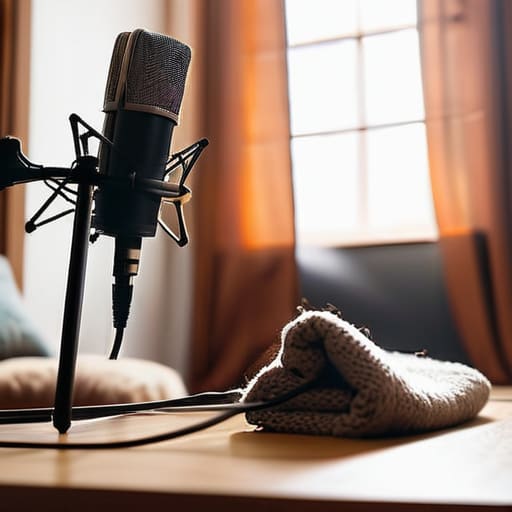
Forget the $500 microphone if your guest is sitting in a kitchen with tile floors and floor-to-ceiling windows; no amount of hardware can fix a room that’s bouncing sound like a pinball machine.
Stop relying on Zoom or Skype for your actual recording; use a double-ender or a local recording tool so you aren’t stuck trying to salvage compressed, jittery audio that sounds like a bad phone call.
Your job isn’t just to hit record, it’s to manage the environment—make sure your guest knows to turn off the AC and move away from the laptop fan, because you can’t edit out a hum that’s baked into the file.
The Bandwidth Fallacy
You can spend three grand on a Shure SM7B, but if your guest is sitting in a kitchen with tile floors and a window open to the street, you aren’t recording a podcast; you’re recording a disaster. High-end gear won’t fix a bad room, and no amount of post-production magic can pull a clean signal out of a hollow-sounding space.
Nadine Okafor
The Reality Check
At the end of the day, remote recording isn’t about finding a mythical “perfect” setup; it’s about managing the variables you actually have control over. You can’t force a guest to move into a soundproof booth, but you can insist they turn off the air conditioning and move away from that window. It’s about prioritizing a stable, wired connection over the convenience of Wi-Fi and recognizing that a $50 dynamic mic in a room full of blankets will always beat a $500 condenser mic in a kitchen. Stop chasing the perfect studio sound and start focusing on eliminating the distractions that make your listeners want to turn the volume down.
If you’re feeling overwhelmed by the technical hurdles, just remember that even the most polished shows you hear on Spotify started with someone figuring out how to stop their neighbor’s lawnmower from ruining a take. The gear will eventually catch up to your ears, but the ability to troubleshoot a bad signal or a hollow-sounding room is what actually makes you a producer. Don’t let the fear of a “sub-optimal” environment stop you from hitting record. The most important thing is that the conversation happens, and the craft itself is what you learn in the trenches of those imperfect sessions.




