

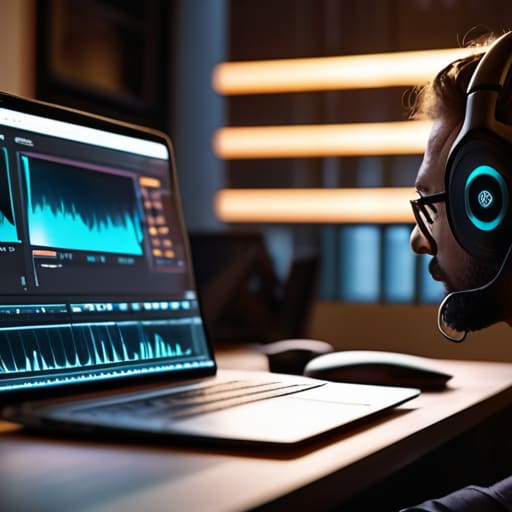
I remember sitting in my home studio three years ago, staring at a waveform that looked less like a human voice and more like a jagged mountain range of digital artifacts. My guest was a brilliant historian, but they were calling from a rural village with a connection so unstable I could practically hear the electrons struggling to make the journey. I had spent a small fortune on a high-end condenser mic, yet I was still sitting there, sweating, trying to figure out how to interview remotely over a bad connection without losing the thread of a truly profound conversation. It’s that specific, sinking feeling in your gut when you realize your expensive gear can’t fix a shaky Wi-Fi signal.
I’m not here to sell you a $500 plugin that promises to “magically” repair broken audio. Most of that advice is just marketing fluff designed to separate you from your hard-earned money. Instead, I want to talk about the actual, unglamorous mechanics of the job. I’m going to show you the specific settings, the backup recording methods, and the communication tactics that actually work when the internet decides to fail you. We’re going to focus on what you can control so you can stop fighting the hardware and start focusing on the story.
Improving Internet Stability for Meetings Before the Chaos Starts

Before you even hit record, you need to treat your internet connection like a temperamental piece of vintage gear—it requires a warm-up and a lot of respect. I’ve learned the hard way that relying on Wi-Fi is a gamble you’ll eventually lose. If you can, plug in via Ethernet. It’s not glamorous, but it’s the single most effective way of improving internet stability for meetings and preventing those sudden, soul-crushing drops mid-sentence. If you’re stuck on Wi-Fi, move as close to the router as possible and tell everyone in the house to stop streaming 4K Netflix for an hour.
You also need to manage the digital load on your machine. Close every single tab, kill your Dropbox sync, and shut down Slack. These background processes are silent bandwidth thieves. When you’re minimizing bandwidth usage during calls, every megabit counts toward keeping your guest’s voice from turning into a digital mess. I always run a quick speed test—not just to see the number, but to see if the upload speed is actually consistent. If your upload is hovering below 5 Mbps, you aren’t ready to record; you’re just asking for trouble.
Minimizing Bandwidth Usage During Calls to Save Your Audio
If you’re stuck in a situation where the bandwidth is thin, your first move shouldn’t be to pray for better signal—it should be to kill the video. I can’t stress this enough: turn off your camera and tell your guest to do the same. Video is a massive data hog, and when you’re fighting for every kilobyte, that high-def feed is the first thing that’s going to cause jitter or dropouts. By minimizing bandwidth usage during calls, you’re essentially clearing a highway for the audio to travel on without hitting a traffic jam.
It’s also worth checking what else is eating your connection in the background. If your laptop is busy downloading a massive OS update or your phone is syncing photos to the cloud in the background, you’re sabotaging yourself. Close every unnecessary tab, kill any active torrents, and ask your guest to ensure they aren’t streaming Netflix in the next room. We aren’t looking for cinematic quality here; we are looking for a stable, uninterrupted stream of sound. If the audio is clean, we can fix a lot in post. If the audio is shredded by packet loss, we’re just staring at a ruined file.
Five ways to stop the bleeding when the connection goes sideways
- Stop relying on the platform’s built-in audio. If you’re using Zoom or Skype, the audio is compressed to hell and back to save data. Use a dedicated double-ender tool like Riverside or Zencastr, or at the very least, have your guest record a local backup on their phone using a voice memo app. It’s a pain to sync them up later, but a clean local file is the only thing that will save an episode if the live stream turns into digital sludge.
- Kill the video. I know, it feels more personal to see their face, but video is a massive bandwidth hog. If you see the latency climbing or the audio starting to jitter, tell your guest: “Let’s go dark for a bit to save the audio.” Turning off the camera frees up enough data for the voice to actually breathe.
- Manage the guest’s environment, not just their tech. If they are on a shaky Wi-Fi connection, tell them to plug in via Ethernet if they have the port for it. If they can’t, tell them to move as close to the router as possible. A single cable is worth more than any “high-speed” wireless signal when you’re trying to capture a nuanced performance.
- Use a “safety” communication channel. When the connection is dropping, trying to talk through the glitching audio is a waste of everyone’s time. Have a WhatsApp thread or a text chain open on your phones. If they go silent or the audio cuts out, you can text them: “You’re lagging, try turning off your video” or “Can you restart your router?” without adding more noise to the failing stream.
- Don’t panic when the silence hits. When a connection drops, there is usually a five-to-ten second gap of nothing. Don’t start rambling or apologizing profusely; you’ll just create a mess of “ums” and “ahhs” that you’ll have to spend an hour cutting out later. Wait, check your text thread, and once the connection stabilizes, pick up the thread where you left off.
The Essentials for When the Connection Drops
Stop relying on Wi-Fi; if you aren’t plugged directly into the router with an Ethernet cable, you’re essentially gambling with your audio quality.
Prioritize the audio stream over everything else by turning off your guest’s incoming video feed—it’s better to have a grainy face than a garbled voice.
Always record a local backup on both ends, because if the internet dies mid-sentence, the only thing that will save your edit is the file sitting on your guest’s hard drive.
The Hard Truth About Remote Audio
You can spend three thousand pounds on a Shure SM7B, but if your guest is sitting in a room with a flickering Wi-Fi signal and a background of heavy traffic, that expensive mic is just going to capture high-fidelity garbage. Stop obsessing over the gear and start obsessing over the stability of the pipe.
Nadine Okafor
When the Signal Finally Fails
At the end of the day, managing a remote interview is about triage. You can’t control the local ISP in a different time zone, but you can control your own environment. We’ve talked about hardwiring your connection with Ethernet, killing every background app that’s secretly sucking up your bandwidth, and—most importantly—having a backup plan that doesn’t involve a Zoom call. If the connection starts dropping packets and the audio turns into digital gravel, stop trying to power through it. Switch to a dedicated high-quality audio recorder or a phone call via a separate line. It’s better to spend an extra ten minutes re-aligning the technical workflow than to spend five hours in post-production trying to fix a file that’s essentially unrecoverable.
Don’t let a bad connection make you feel like you aren’t a “real” producer. I’ve spent many nights staring at a waveform that looked like a mountain range because a guest’s router decided to give up the ghost mid-sentence. It’s frustrating, it’s unglamorous, and it’s part of the job. But remember: the tech is just the delivery mechanism for the story. If you can master the art of staying calm when the hardware fails, you’ll be miles ahead of the people who only know how to record in soundproof studios. Keep your cables organized, keep your backup recorders charged, and just keep recording.



