
I once spent four hours of my life—four hours I will never get back—staring at a DAW session that looked like a digital graveyard, trying to figure out why my guest sounded like they were underwater while my host sounded like they were in a tin can. I had forgotten the most basic rule of the craft, and because I hadn’t set up a system for how to label inputs so you never mix them up, I was essentially playing a guessing game with expensive time. There is no “magic plugin” or high-end interface that fixes a disorganized session; there is only the tedious, unglamorous work of being disciplined before you even hit record.
I’m not here to sell you a masterclass or a fancy template that will break the moment you change your hardware. I’m just going to tell you exactly how I organize my sessions so I can actually finish an edit instead of fighting my own software. We’re going to talk about naming conventions, track numbering, and why you need to stop treating your input channels like a junk drawer. It’s not complicated, but if you don’t do it, you’re just setting yourself up for a very long, very frustrating night.
Stop Guessing Identifying Input Channels Before the Panic Sets in
Stop Guessing: Identifying Input Channels Before the Panic Sets In
The panic usually starts when you’re staring at a DAW screen with twelve identical mono tracks and you realize you have no idea which one is your host and which one is the guest who just blew out their preamp. You can’t fix what you can’t find. I’ve spent more hours than I care to admit squinting at waveforms, trying to match a specific vocal timbre to a mystery input. This is where your studio workflow efficiency goes to die. If you aren’t identifying input channels at the hardware level, you’re essentially playing a high-stakes guessing game with your own time.
Start with a physical system. I’m a big believer in color coding audio cables—it’s a cliché for a reason. Red for the primary mic, blue for the guest, green for the field recorder. It sounds basic, but when you’re mid-session and a cable decides to fail, you don’t want to be tracing lines through a nest of black snakes. Label the actual cables with masking tape or wrap them in colored electrical tape. If the physical connection is clear, your digital organization becomes a formality rather than a frantic rescue mission.
The Unsexy Art of Color Coding Audio Cables for Sanity
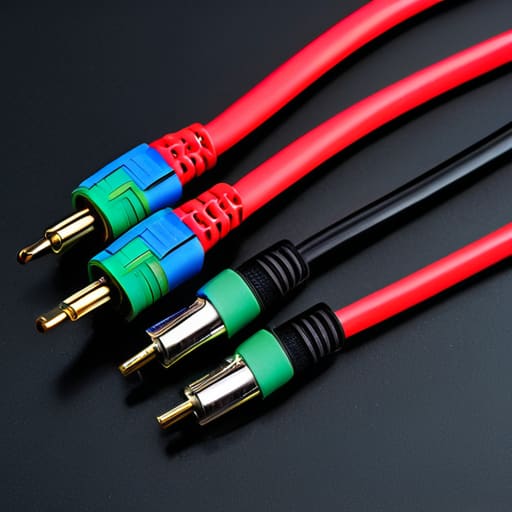
Look, I know it feels like overkill when you’re just setting up a single mic and a laptop, but once you’re staring at a floor covered in black XLR cables, everything starts looking identical. If you aren’t using color coding audio cables, you are essentially gambling with your sanity. I keep a small stash of colored electrical tape in my kit—red for the host, blue for the guest, green for any external field recorders. It takes ten seconds to wrap a bit of tape around the connector, but it saves you the headache of tracing a line through a tangled mess behind a desk when a signal suddenly drops out mid-sentence.
This isn’t just about aesthetics; it’s about studio workflow efficiency. When you’re deep in an edit and realize you’ve accidentally routed a noisy line into your main track, you don’t want to be playing detective. Implementing basic cable management best practices means you can glance down and know exactly where your audio signal is coming from without having to physically tug on every wire to see which end is plugged into the interface. It’s unglamorous, sure, but it’s the difference between a smooth session and a breakdown.
Five ways to stop your session from becoming a scavenger hunt
- Label your tracks in your DAW using the guest’s name and their specific mic, not just “Mic 1” and “Mic 2.” I’ve spent far too many late nights staring at a waveform trying to remember if “Input 3” was the host or the person who flew in from Berlin.
- Use a physical labeling system for your XLR cables. A bit of colored electrical tape or a dedicated cable labeler at the end of the cord saves you from the “which one is which” dance every time you set up a new recording space.
- Create a standardized session template before you even hit record. If your template already has “Host – Condenser” and “Guest – Dynamic” mapped to specific inputs, you won’t have to manually rename every single track while your guest is waiting for you to start.
- Keep a digital “patch sheet” or a simple text file for every session. Note down which mic went into which interface input and what the gain settings were; when you come back to the edit two days later, your past self will actually be helpful instead of a mystery to solve.
- Document your signal chain in the session notes. If you’re using a specific preamp or a hardware compressor on one channel, write it down immediately. You don’t want to be halfway through a mix wondering why the guest’s vocal sounds inexplicably warmer than yours.
The Bare Minimum for a Sanity-Saving Workflow
Label your tracks in your DAW immediately—not “Input 1” and “Input 2,” but “Nadine_Mic” and “Guest_Zoom”—so you aren’t playing detective halfway through an edit.
Use a physical labeling system for your hardware, like colored electrical tape or a handheld label maker, to match your digital track names.
Build a naming convention that stays consistent across every single session; if you change your system halfway through a series, you’re just asking for a headache.
The Cost of a Messy Session
You can spend forty minutes trying to “fix it in post” by squinting at waveforms to figure out if Track 3 is your host or your guest, or you can spend ten seconds typing a label into your DAW before you even hit record. Trust me, the second option is the only one that won’t make you want to throw your interface out a window at 2:00 AM.
Nadine Okafor
The Cost of Not Doing It
At the end of the day, labeling your inputs—whether it’s through physical tape on the cables, a consistent naming convention in your DAW, or a color-coded patch bay—isn’t about being a perfectionist. It’s about protecting your time. I’ve sat in front of a monitor at 2:00 AM, eyes blurring, trying to figure out why the guest’s vocal is clipping while mine sounds like it was recorded underwater, all because I didn’t bother to name my tracks during the setup. If you take ten minutes to organize your signal path before you hit record, you save yourself three hours of frantic troubleshooting later when you’re exhausted and just want the project finished.
Don’t let the small, tedious stuff be what breaks your spirit. People think podcasting is about the big interviews or the perfect musical score, but the reality is that the craft is built on these tiny, invisible habits. When you master the unglamorous side of the technical setup, you stop fighting your gear and start actually listening to the story. It’s much easier to be creative when you aren’t constantly apologizing to yourself for a messy session. Get the labels right, get the workflow solid, and then get out of your own way so you can actually make something worth hearing.




