
I remember sitting in a cramped studio in Birmingham, staring at a piece of gear that cost more than my first car, only to have it emit a high-pitched digital whine the second my guest started talking about their childhood. I had spent weeks reading spec sheets and watching “pro” reviews, convinced that a higher price tag was the only way to solve my problems. Most of the advice you’ll find online regarding how to pick an audio interface is just a thinly veiled attempt to get you to click an affiliate link for something you don’t actually need. You don’t need a studio-grade converter with a gold-plated chassis; you need something that provides clean preamps and doesn’t crash your laptop mid-sentence.
I’m not here to sell you a dream or a course on “audio mastery.” I’m here to tell you what actually matters when you’re staring at a waveform at 2:00 AM. I’ll walk you through the specific technical realities—like latency, input counts, and phantom power reliability—without the marketing fluff. My goal is to help you find the tool that simply gets out of your way so you can focus on the actual work of making a good show.
Why Analog to Digital Conversion Actually Matters for Your Sound
Look, you aren’t going to hear the difference between a $100 interface and a $500 one in a vacuum, but you will hear it when you start pulling the files into your DAW. The real job of the interface is analog to digital conversion—taking that physical air pressure hitting your mic diaphragm and turning it into a string of ones and zeros without adding a layer of digital grit. If the converters are cheap, your high frequencies will sound brittle, almost like they’re being played through a screen door.
I’ve spent too many late nights trying to EQ out the “metallic” sound of a budget unit that promised everything but delivered a muddy mess. It’s not just about the tone, either; it’s about the integrity of your sample rate and bit depth. When you’re working with low-quality conversion, you lose the headroom you need to fix mistakes later. You want a clean, transparent signal so that when you finally sit down to edit, you’re actually working with the audio rather than fighting against the hardware that captured it.
The Truth About Usb vs Thunderbolt Connectivity in Real Life
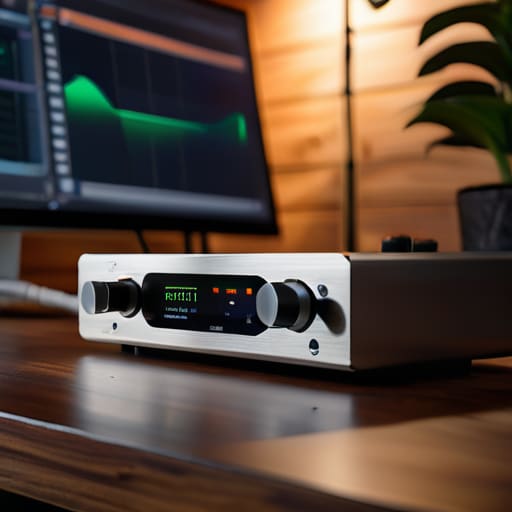
Here is the reality: unless you are running a professional recording studio setup for beginners that involves multiple high-end preamps and a whole rack of outboard gear, the USB vs Thunderbolt connectivity debate is mostly a distraction. You’ll see tech reviewers acting like Thunderbolt is the only way to achieve professional results, but for most of us working solo or in small teams, it’s overkill. Thunderbolt offers more bandwidth, sure, but unless you’re recording dozens of tracks simultaneously, you aren’t going to notice the difference in your daily workflow.
The real battleground isn’t the speed of the connection; it’s latency and driver stability. I’ve lost more hours of my life to a “fast” connection that crashed halfway through a brilliant interview than I ever have to a slightly slower USB bus. If you go the USB route, make sure the manufacturer actually writes decent drivers. A cheap interface with a high-speed connection is useless if the software stutters the moment you try to monitor your guest in real-time. Don’t chase the highest theoretical speed—chase the connection that stays out of your way so you can actually finish the edit.
The stuff that actually matters when you’re mid-session
- Count your inputs, then add two. I’ve seen too many people buy a two-channel interface only to realize six months later they can’t host a guest without a laptop and a prayer. If you think you only need one mic, buy the one with at least two inputs. It’s the difference between a professional setup and a scramble.
- Look at the preamp gain range, not just the number of knobs. If you’re planning on using a dynamic mic like a Shure SM7B—which most of you will—you need an interface with enough clean gain to drive it. If the specs say you’re getting 50dB of gain, you’re going to be cranking the volume until you hear a hiss that ruins the whole take. Look for 60dB or higher.
- Prioritize direct monitoring over software latency. There is nothing more distracting than hearing your own voice through your headphones with a half-second delay because your computer is struggling to process the buffer. You want a physical “Direct Monitor” button on the hardware so you can hear yourself in real-time without the digital lag.
- Check the build quality of the physical connections. I don’t care how good the software drivers are if the USB port on the chassis feels loose or wobbly. If you’re moving gear around or recording in different spaces, you need something that feels like a solid piece of kit, not a plastic toy that’s going to disconnect mid-sentence.
- Don’t ignore the driver stability. If you’re on Windows, this is non-negotiable. A “cheap” interface with garbage drivers will crash your DAW right when your guest says something profound. I’ve spent more hours troubleshooting driver conflicts than I have actually editing audio; don’t make that your hobby.
The bottom line on your setup
Stop chasing the highest sample rate marketing buzzwords; focus on getting an interface with clean preamps that can handle your guest’s volume without clipping or introducing a floor of hiss.
Prioritize stability over features; a Thunderbolt connection is faster, but if you aren’t running a massive multi-track studio, a reliable USB-C setup that doesn’t drop the connection mid-sentence is much more valuable.
Budget for the cables and the build quality, not just the brand name; you need something with metal chassis and solid inputs that can survive being shoved into a backpack every week.
Stop chasing the spec sheet
You can spend three months reading white papers on bit depth and sample rates, but if the driver crashes every time you try to record a remote guest, that interface is nothing more than a very expensive paperweight on your desk.
Nadine Okafor
Stop overthinking the spec sheet
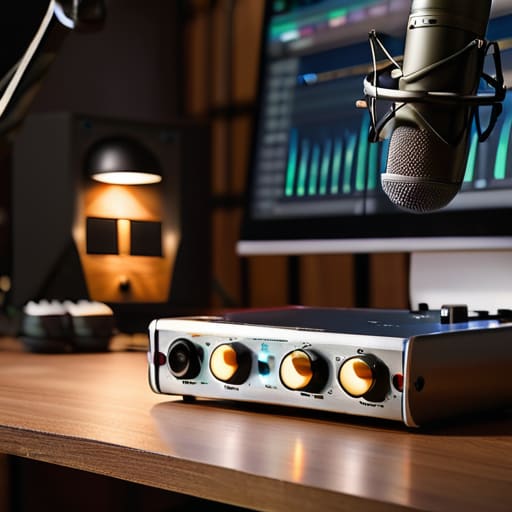
At the end of the day, you aren’t looking for a piece of gear that wins awards; you’re looking for a tool that stays out of your way. You need to know if the preamps can handle a quiet guest without introducing a floor of hiss, whether the connectivity is stable enough to survive a three-hour session, and if the latency is low enough that you aren’t tripping over your own feet during a live recording. Don’t get caught in a loop of comparing bit depths that won’t actually change your listener’s experience. Focus on the practical reliability of the unit and ensure it has the physical inputs you actually need for your specific workflow.
I spent far too many years thinking that a more expensive box would somehow make my stories better. It doesn’t. A high-end interface won’t fix a bad room or a boring interview, but a cheap, glitchy one will certainly ruin a great one. Once you have a piece of kit that you can actually trust to work every single time you hit record, the gear part of your brain can finally shut up. That’s when the real work starts: the interviewing, the editing, and the actual craft of storytelling. Get the right tool, stop obsessing over the knobs, and just go make something worth hearing.




